DIY Market Intelligence: How to Build a Custom Trading Dashboard in Excel That Actually Works
Ever feel like you’re drowning in tabs while trying to track your portfolio? You have your broker’s interface open, a news site, and maybe a charting tool, but nothing connects the dots. In my experience, the best trading edge isn't a secret algorithm; it's clarity. By learning how to build a custom trading dashboard in Excel, you gain complete control over your data, allowing you to see your P&L, risk exposure, and market sentiment in one unified view.

Connecting Your Data Streams
The real power of an Excel-based dashboard lies in its ability to pull live market data. I'd recommend starting with the 'Data' tab in modern versions of Excel, which uses the Stock Data Type feature. Simply typing a ticker symbol like 'AAPL' and clicking the 'Stocks' button transforms a plain cell into a rich data container. If you want to take it a step further, platforms like

best overall recommendation for premium data feeds
Once you have your data flowing, you need to structure it. What I've found works best is to separate your work into three sheets: one for raw data ingestion, one for calculations (like moving averages or volatility metrics), and a final 'Display' dashboard. This keeps the file snappy and prevents it from crashing during high-volume market hours.
Visualizing Your Risk and Performance
A dashboard without visuals is just a ledger. You need to leverage PivotCharts and Slicers to make your data interactive. For instance, creating a slicer that filters your dashboard by 'Asset Class' or 'Trade Date' allows you to drill down into your performance with a single click. Here is how you can effectively map out your performance metrics: 
If your needs are more budget-conscious,
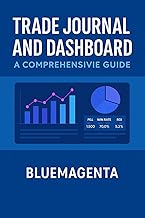
budget alternative for pre-made templates
Who This Is For
This guide is perfect for intermediate traders who find standard charting platforms too rigid but aren't quite ready to build a full-scale proprietary trading app. If you are comfortable with VLOOKUPs and basic charting, you have all the skills needed to build a professional-grade command center.
Common Mistakes to Avoid
- Overloading the workbook: Don't link hundreds of external cells; it will slow your update speeds significantly.
- Neglecting data validation: Ensure your input fields have dropdowns to prevent typos from breaking your formulas.
- Ignoring error handling: Always use IFERROR functions to keep your dashboard looking professional even when data feeds momentarily drop.
Quick Comparison
| Feature | Excel DIY | Dedicated SaaS Dashboard |
|---|---|---|
| Customization | Unlimited | Limited |
| Learning Curve | Moderate | Low |
| Cost | Low | High |

Building your own dashboard transforms how you interact with the market. It moves you from a passive observer to an active architect of your own financial strategy.
Frequently Asked Questions
Do I need to know how to code to build this?
Not at all. While VBA and Python can enhance your dashboard, Excel's built-in formulas and Stock Data features are powerful enough for most traders.
How often does the data update?
Depending on your data source, the Excel Stock Data type typically refreshes every few minutes. For sub-second updates, you would need a professional API feed.
Is Excel fast enough for day trading?
It is sufficient for monitoring and analysis, but I wouldn't rely on it for high-frequency execution where milliseconds matter.
Product Comparison
| # | Product | Price | Rating | |
|---|---|---|---|---|
| 1 | |
Product B0GN4H3L3K | — | 3.9 out of 5 stars |
| 2 | |
Product B0DY8CNCZV | — | 3.9 out of 5 stars |
| 3 |  |
Product B00L0LYDII | — | 3.9 out of 5 stars |